
Run Zoho CRM releases for every client from one account
Every client's Zoho environments in one place, with team permissions and reusable change sets.
The problem
A Zoho consultant rarely works in one org. You might have six clients, each with a production org and a sandbox or two, and releases in flight for three of them this week. Every client has its own Zoho login, its own naming, and its own idea of what changed since your last visit.
Add a team and it gets harder. A junior consultant should be able to build and test a client's change without being the one who pushes it to production. And when a client asks what went live last month and who did it, the answer should be more than a search through an old chat thread.
How it's done today
Most consultants keep a password manager full of client logins and rebuild changes by hand: the sandbox in one tab, production in the other, clicking the same settings in twice. It works, but every client is a separate context switch, and there is no single list of what you moved for whom.
Zoho CRM's own sandbox deploy is worth using where the client has it. A sandbox keeps a Change Set of the edits made in it, which you can filter and deploy in full or in part, with a Qualified or Conflicted check before anything is pushed. Zoho lets an account add up to five developers, people who aren't CRM users and don't need a CRM licence, which suits outside consultants. Deployment Logs keep six months of history.
All of that lives inside one client's account. Zoho's documentation describes a sandbox deploying to its own production org, and the Manage Sandbox permission decides who can deploy; it doesn't describe an approval step. Zoho's edition table lists sandboxes for Enterprise and Ultimate, not for Standard or Professional. So each client is a separate place to sign in, deploy and read the logs.
One organization per client
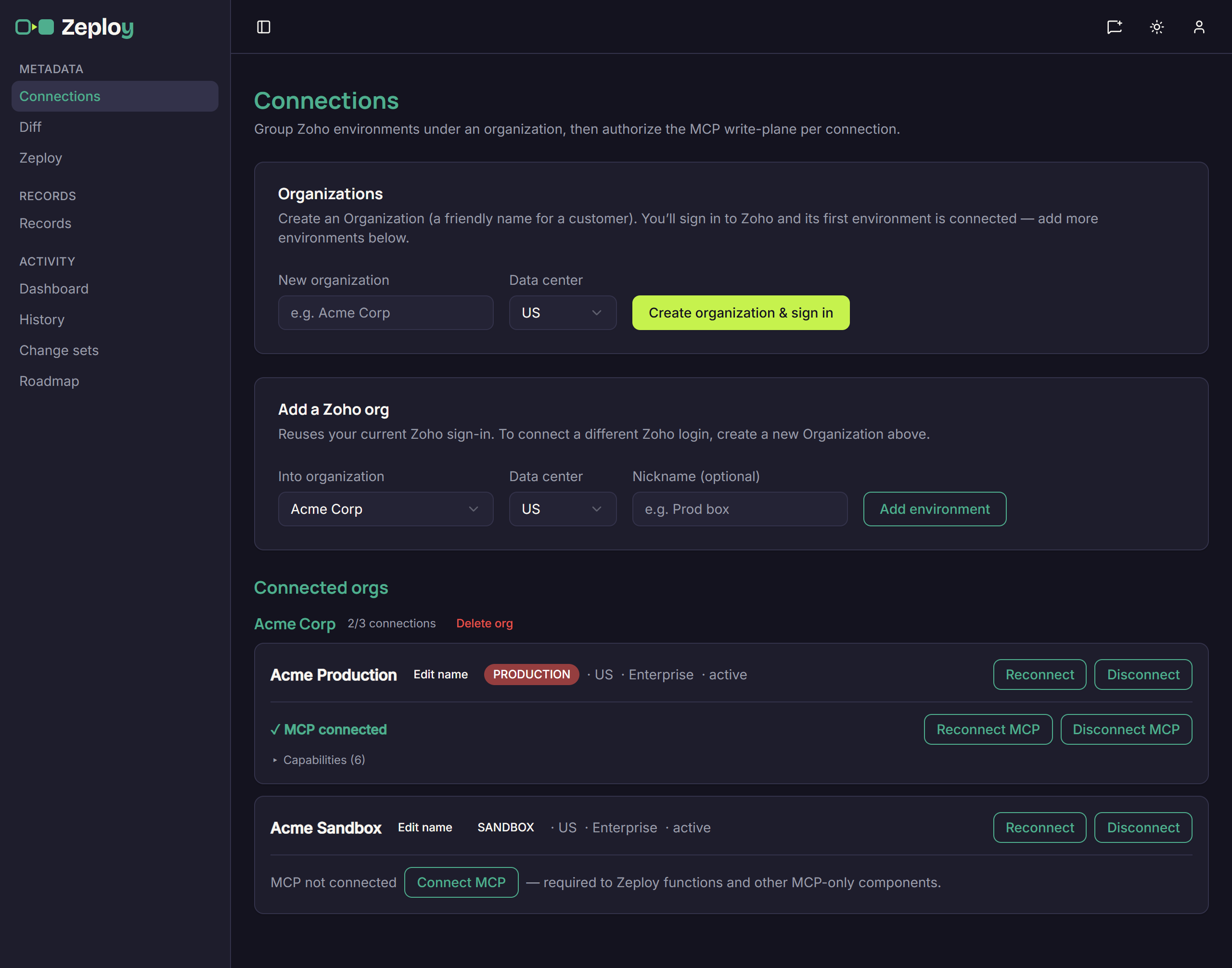
In Zeploy, each client is an organization on the Connections page. Enter the client's name under New organization and choose Create organization & sign in; you sign in to Zoho and the first environment connects. Add environment brings in the next one, such as the client's sandbox, under the same organization. Each organization holds up to three connections, enough for a dev, QA and production setup.
Every connection shows a PRODUCTION or SANDBOX badge that Zeploy reads from Zoho, with the data center, the Zoho edition and a status. A sandbox and its production org usually report the same name, so give each a nickname with Edit name; the nickname is what you see in the Diff and Records pickers. Each organization shows how many of its connections you have used, for example 2/3 connections.
The metadata Diff and Records both pair only two connections in the same organization, so a client's configuration and records are compared with, and moved to, that client's own orgs.
Seats and permissions for your team
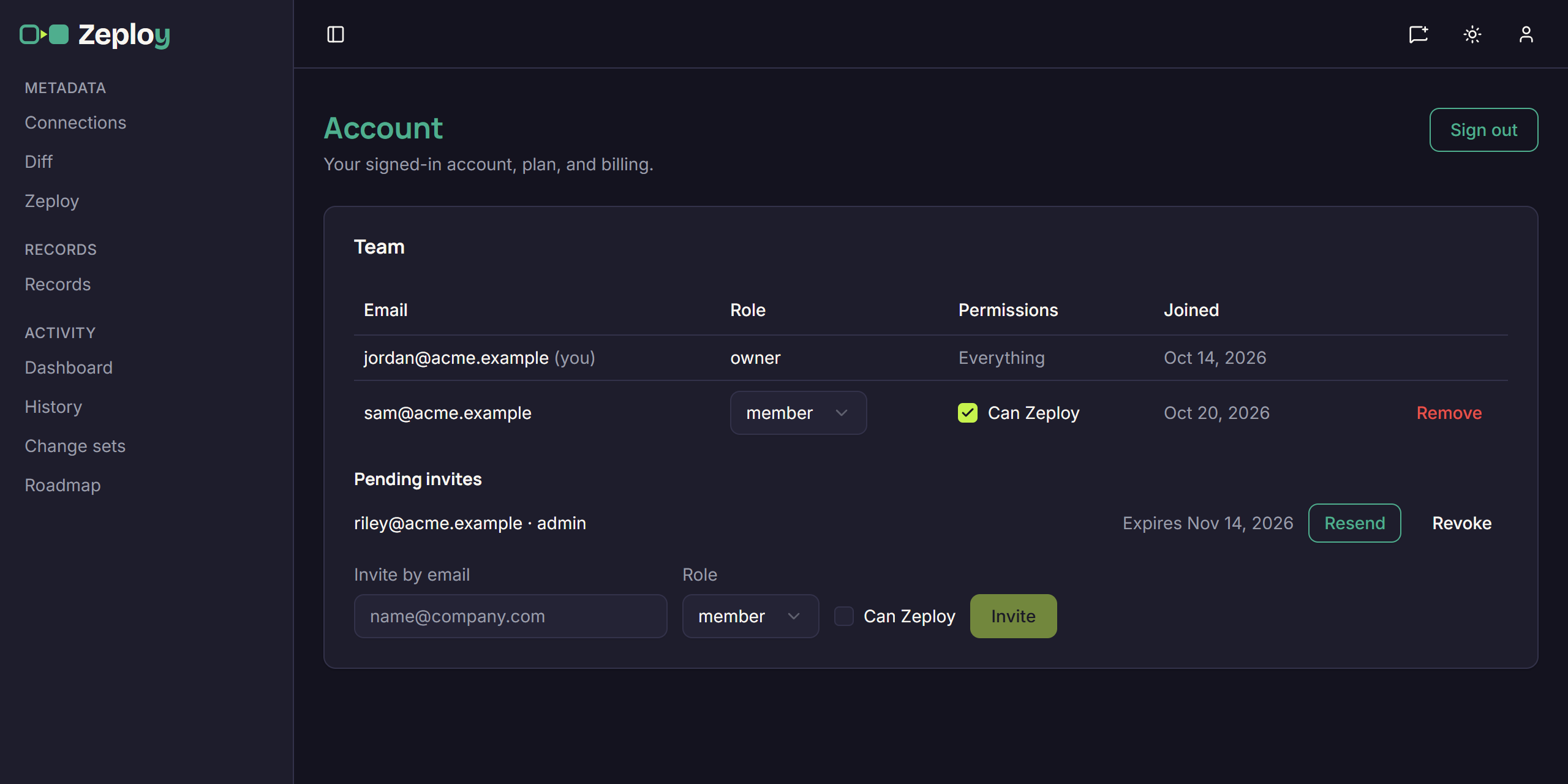
On the Team plan everyone works from one account, and the organizations and connections are shared by every seat. The owner and admins invite people from the Team card on the Account page. The owner can invite admins as well as members and sets each member's permissions.
Owners and admins can always Zeploy. A member can write to a client's org, sandbox or production, only if the owner ticks Can Zeploy for them. Without it a member can still run diffs, compare records, run Validate and save change sets. Where the button would read Zeploy, they see Send for Zeployment, which sends the selection, with an optional note, to the owner and admins.
That gives a senior consultant a review step on a junior's work. The approver opens the request on the Awaiting approval tab in History, reads the findings, can untick items but not add any, and either Zeploys what is left or rejects it with a reason. The requester gets an email either way.
Reuse a release and keep the record
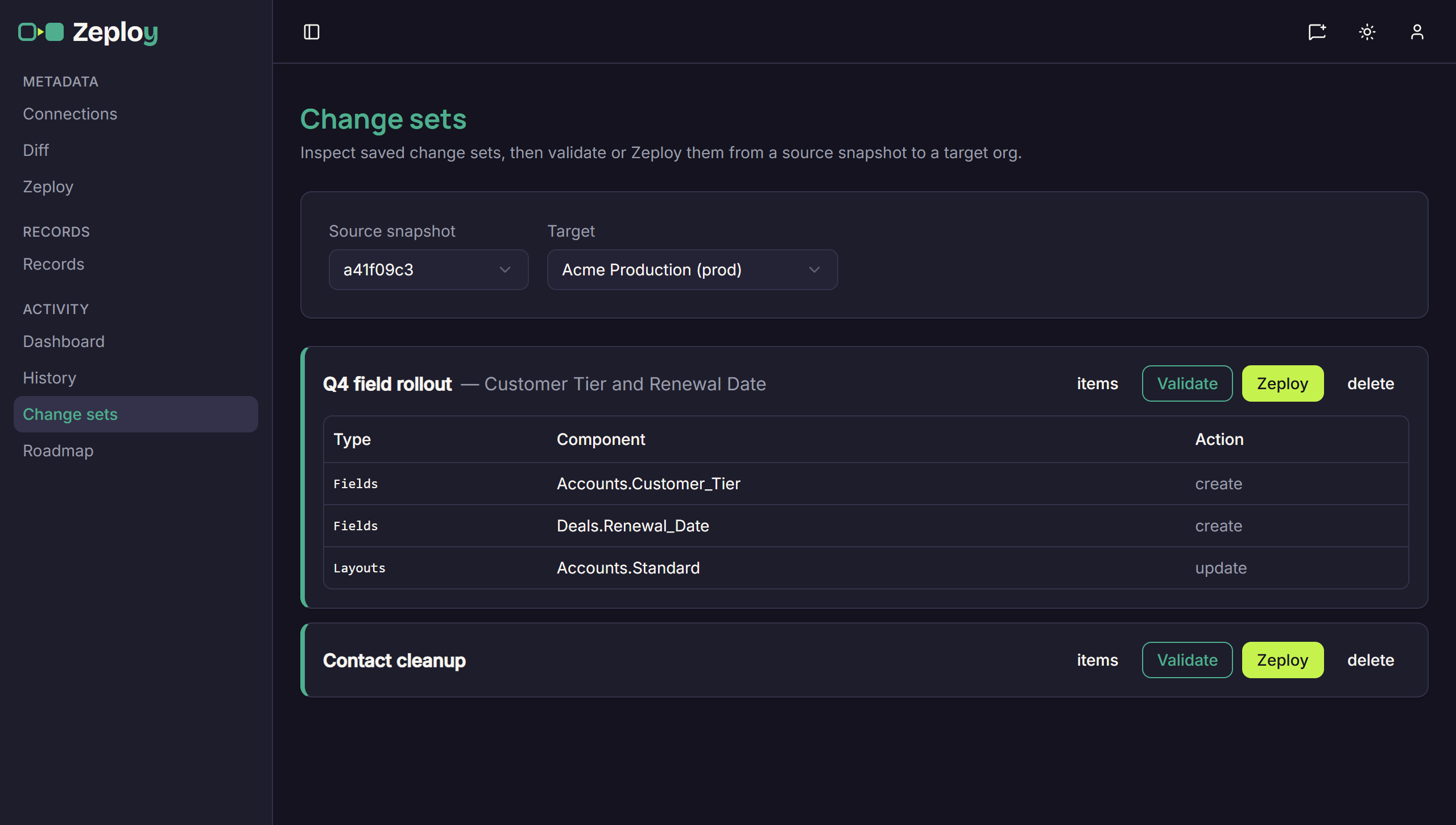
A client release often moves in stages: sandbox to QA, then on to production once the client signs off. Tick the release's items on the Diff page and choose Save as change set. A change set holds the list of changes, not the values, so on the Change sets page you pick a Source snapshot and a Target each time you run it, and Zeploy reads the values from that snapshot. Validate it against the target first, then Zeploy.
Every run lands in History. Execution Runs lists each Zeployment with its kind, status, target, who ran it, item count and time, and each run page shows every item's result with Zoho's response. Export .md or Export .csv turns a run into a report you can attach to the client's ticket or release notes. The Data retention card on the Account page sets how long history is kept: 30, 60 or 90 days, or Forever.
The Dashboard adds totals across all clients: Zeployments, success rate, failed runs, average duration and how many runs targeted production or a sandbox. When someone leaves the team and you remove them, their past Zeployments stay in History, shown as removed user.
Plans, and what to watch for
Solo is $29 a month for one seat and one organization. Team is $59 per seat per month, and each seat adds five organizations to a pool the whole account shares, so three seats give you fifteen client organizations that anyone on the team can use. On either plan an extra organization is $10 a month, every organization holds three connections, and annual billing gives two months free. Both plans include every deployment feature; Team adds seats, so you can invite people, set permissions and use approvals.
A connection left under Ungrouped isn't offered on the Diff page until you assign it to a client's organization. Functions and some other components need an extra MCP authorization on each connection, shown on the Connections page. Zeploy creates and updates but never deletes a component, so deleting a field, layout or rule from a client's production org is still done by hand. Delete org disconnects all of an organization's environments and can't be undone.
Questions
- Can I deploy a change from one client's org to another client's?
- No. Both the metadata Diff and Records pair only connections in the same organization, so configuration and records stay within one client's orgs.
- How many clients can I manage?
- Solo includes one organization and Team includes five per seat, pooled across the account. Either plan can add organizations at $10 a month each, and each organization holds up to three connections.
- Can a junior consultant work on a client's org without writing to it?
- Yes. Leave Can Zeploy unticked for that member. They can run diffs, compare records, Validate and save change sets, and use Send for Zeployment to ask an owner or admin to approve the changes.
- What can I show a client after a release?
- The run page from History. It lists every item with its status and Zoho's response, shows who ran it and when, and exports as .md or .csv.