Connections
The Connections page is where you manage the Zoho CRM orgs Zeploy can read and write. You group orgs under an organization (one per customer), connect more environments, give them nicknames, and re-authorize or disconnect them. For a first-time walkthrough, see Connect your first org.
Before you start
- Anyone on the account can use this page. Plan limits apply: the number of organizations your plan allows, and three connections per organization. See Plan and billing.
Steps
Open Connections from the sidebar, under Metadata. Your organizations are listed under Connected orgs. Each organization shows how many of its connections you have used, for example "2/3 connections".
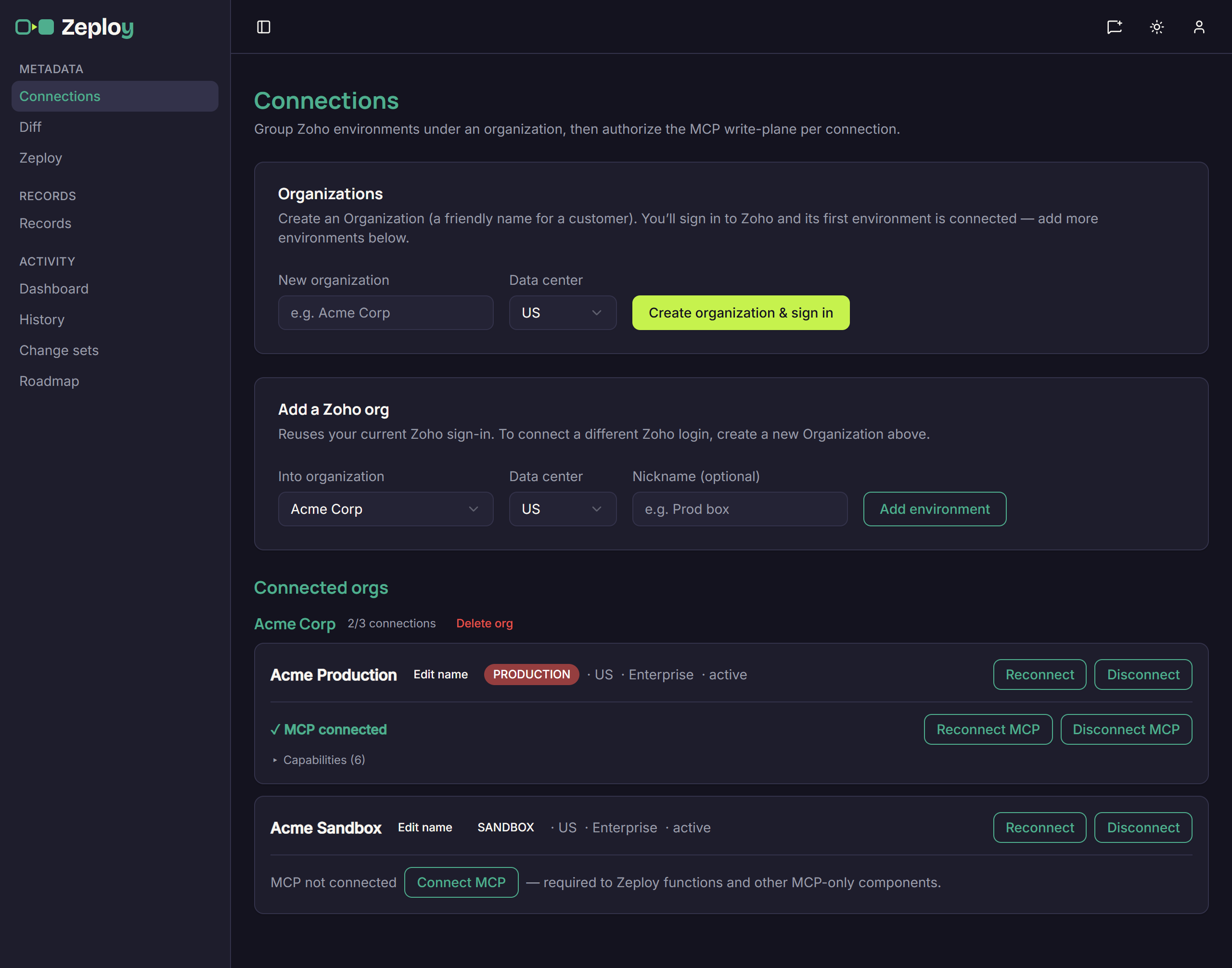
Connections list showing Acme Production and Acme Sandbox under Acme Corp Read each connection's row. It shows the name, a PRODUCTION or SANDBOX badge, the data center, the Zoho edition and a status (active, revoked or error). Zeploy reads the environment from Zoho. You can't change it.
Add an organization. In the Organizations card, enter New organization, pick a Data center and choose Create organization & sign in. You sign in to Zoho, and the first environment connects.
Add another environment. In Add a Zoho org, choose Into organization, the Data center and an optional Nickname, then Add environment. This reuses your current Zoho sign-in. To connect a different Zoho login, create a new organization instead.
Rename a connection. Choose Edit name on its row, type a nickname and choose Save (or Cancel). The nickname is what appears in the Diff and Records pickers, with the Zoho name in brackets next to it on this page.
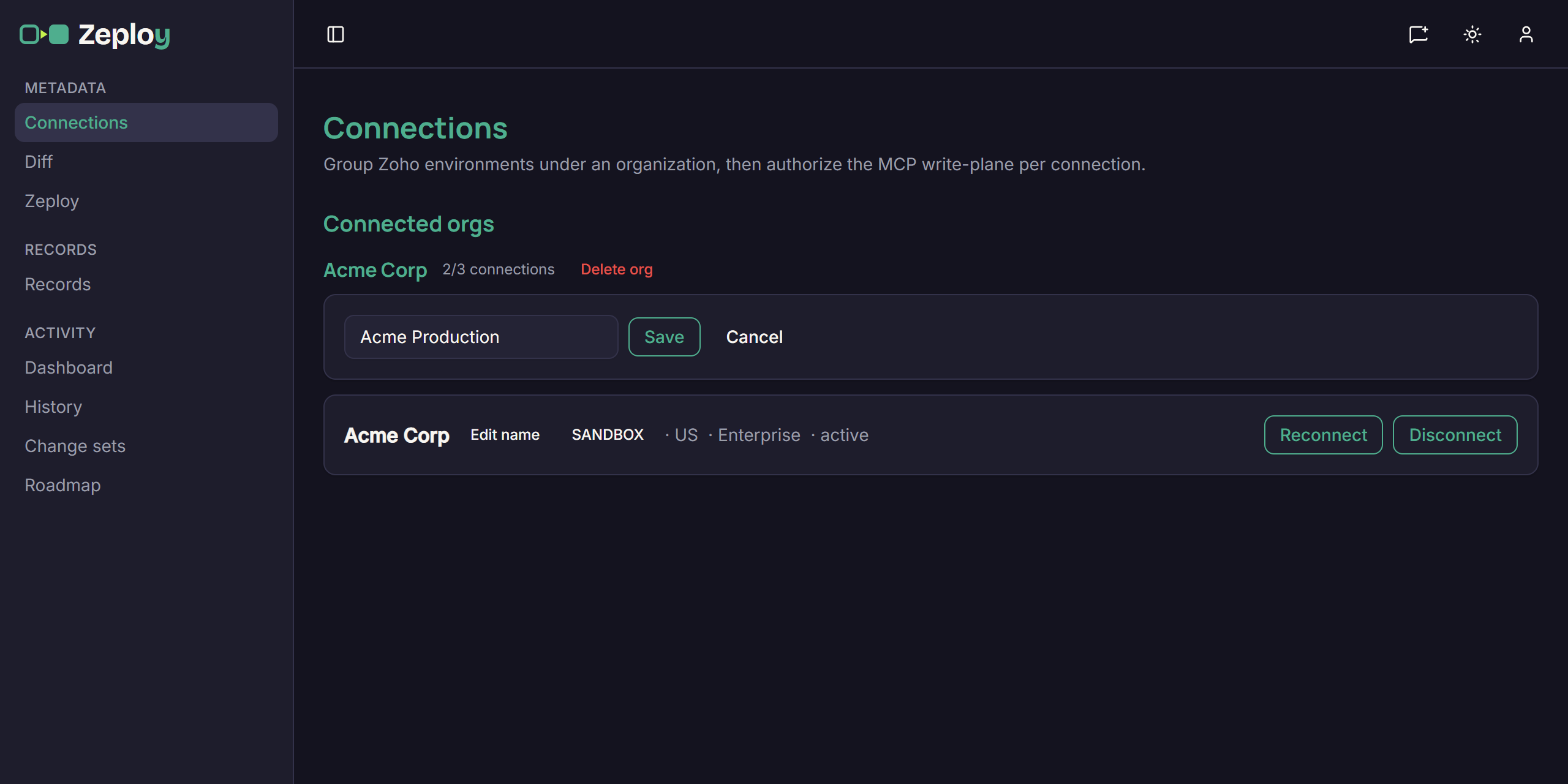
Editing a connection's nickname with Save and Cancel buttons Reconnect when asked. Reconnect re-authorizes an org you already connected, so Zeploy gets any newly required permissions. You don't need to delete anything first.
Disconnect an org you no longer need. Choose Disconnect and confirm. Zeploy destroys the stored token and the connection leaves the list.
Delete an organization. Choose Delete org next to its name and confirm. This disconnects and destroys all of its environments and cannot be undone.
The MCP line
Under each connection you may see an MCP row. MCP is an extra authorization that Zeploy needs to write functions and some other components.
- MCP not connected with Connect MCP: choose it and approve the access in Zoho.
- ✓ MCP connected with Reconnect MCP and Disconnect MCP: disconnecting destroys the MCP token. Components that need it can't be Zeployed until you reconnect.
- ▸ Capabilities expands a list of what the org allows. Each line reads "ok", "reconnect to enable" (re-authorize and grant it), "not enabled in this org" (a Zoho feature that org doesn't have) or "probe failed — Zeploy bug, not yours" (nothing you can fix by reconnecting).
Good to know
- You can only compare or deploy between connections in the same organization. A connection under Ungrouped is hidden from the Diff pickers, and the Diff page tells you to assign it here.
- A sandbox and its production org usually report the same name. Nicknames keep them apart. If two connections still read the same, Zeploy adds the environment to the label in pickers.
- Disconnected orgs aren't offered as a source or target. If you reconnect the same Zoho org later, it reuses its old slot.
- Hitting a plan limit disables the button and shows a message. Owners see an Upgrade link. Others are told to ask the account owner.
- Some messages come from Zoho or Zeploy's checks, for example "That Zoho org is already connected." or "That connection request expired or was invalid. Please try again."