History
History is where everything that has happened in your account is kept. It has five tabs. Use it to check how a run went, to find a draft you left half-finished, or to handle approval requests.
Steps
Open History from the sidebar. If you are an owner or admin and requests are waiting, the sidebar shows a count next to History, and the Awaiting approval tab opens first. For everyone else it opens on Execution Runs.
Pick a tab. The tabs are:
- Execution Runs: every Zeployment, with its kind (metadata or records), name, status, mode, target, who ran it, item count and time. Use the all, metadata and records buttons to filter. Click a name to open the run. A draft shows a Review & launch link that reopens it in the review step.
- Records Diffs: past records comparisons with their status, module, source → target and a result line such as "2 insert · 2 upsert · 14 identical · 1 ambiguous".
- Snapshots: each time Zeploy read an org. It shows the connection, status, how many components were read and how many could not be captured.
- Audit: a log of account actions. Use the Action list to filter it. Entries that belong to a Zeployment link to its run.
- Awaiting approval: Zeploy requests from team members. See the next step.
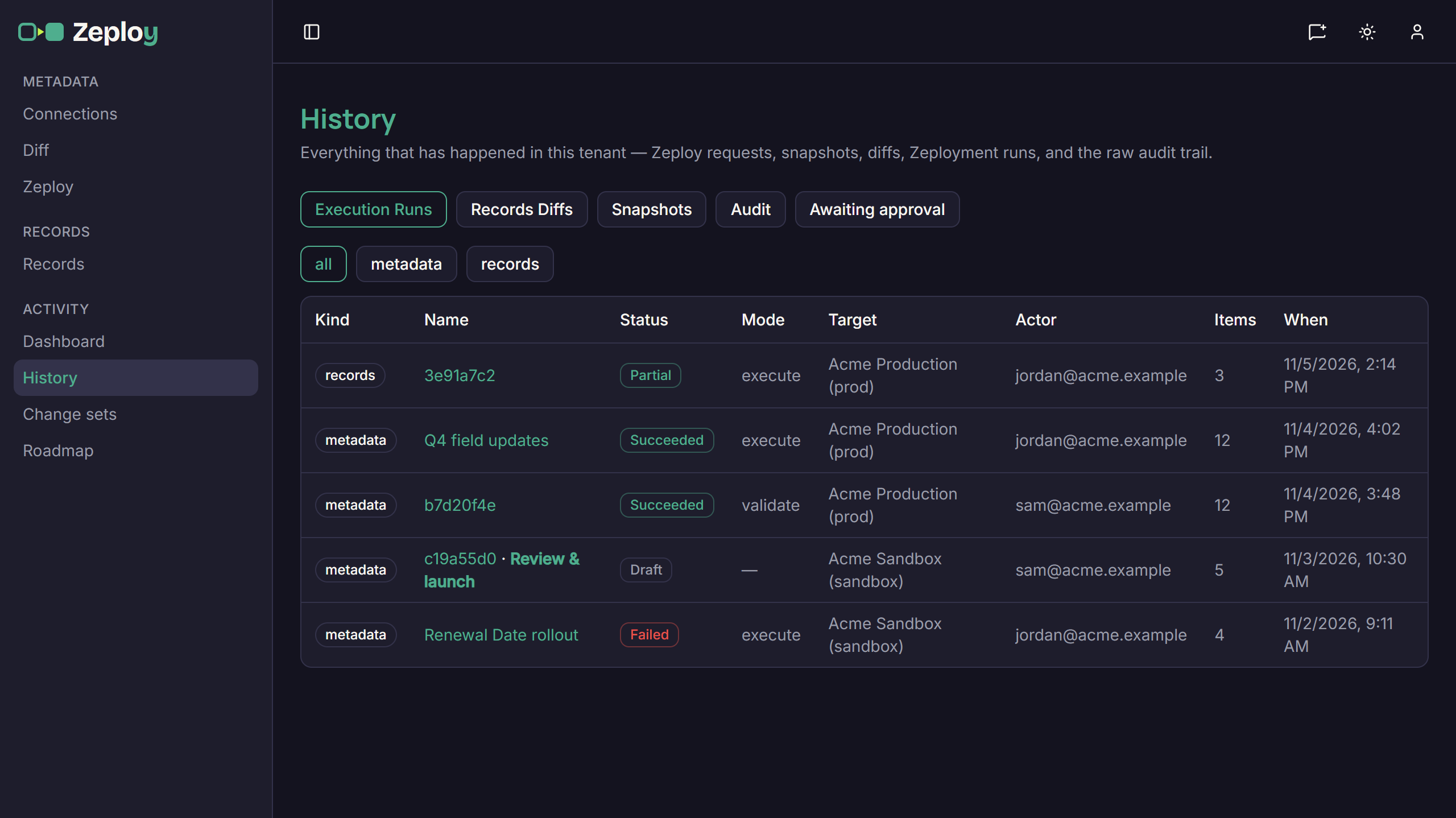
The Execution Runs tab
Work the approval queue. The Awaiting approval tab lists each request with its kind, source → target, who asked, when, how many items, their note and its status. A link in an approval email opens this tab with that request highlighted.
- Owners and admins see every pending request plus recent decisions. They can click Review & Zeploy to open it, or Reject, add an optional reason and click Reject request.
- A member sees their own requests and can Withdraw one that is still pending.
- After a request is approved, View run opens the run it started.
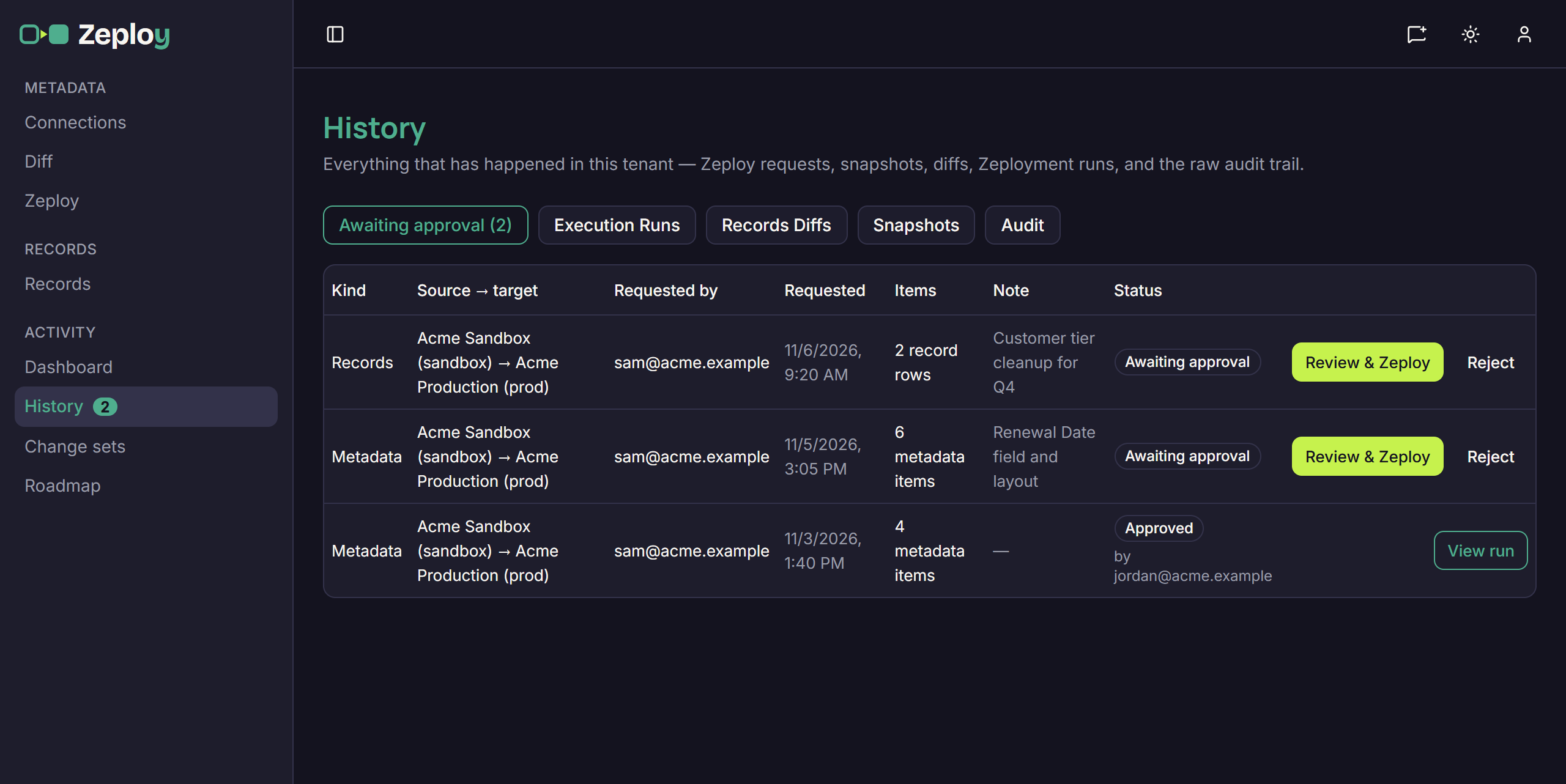
The approval queue as an owner sees it
Good to know
- Request statuses are Awaiting approval, Approved, Rejected, Withdrawn and No longer available. "No longer available" means the changes behind the request are gone, so ask for a new one.
- Metadata diffs aren't saved as their own entries. The Snapshots tab lists the org reads that sit behind them.
- For the two sides of an approval, see Request approval and Approve or reject.
- For totals instead of a list, use the Dashboard.