Compare records
Use Records when you need to move data, not setup, from one org to another. You pick a module such as Accounts, tell Zeploy which fields identify a record, and Zeploy shows you which rows are new, which have changed, and which need a person to look at them. You then choose the rows you want.
Before you start
- Connect both orgs. See Connections.
- Both connections need record and bulk-read access. If you see a scope error, use Reconnect on the connection and try again.
Steps
Open Records from the sidebar. It sits in its own Records section.
Choose a Source and a Target. Each list shows your connections as name and environment, for example "Acme Sandbox (sandbox)". Source is where the rows come from. Target is where they will go.
Choose a Module. The list fills in after you pick a source and shows each module's label and API name, such as "Accounts (Accounts)".
Click Load fields. Zeploy reads the module from the source and shows a Match on line. The module's primary field, here Account_Name, is always used and you can't turn it off. Under it is a row of field chips. Tick any you want to add, for example Website, so that two records only count as the same when both values agree.
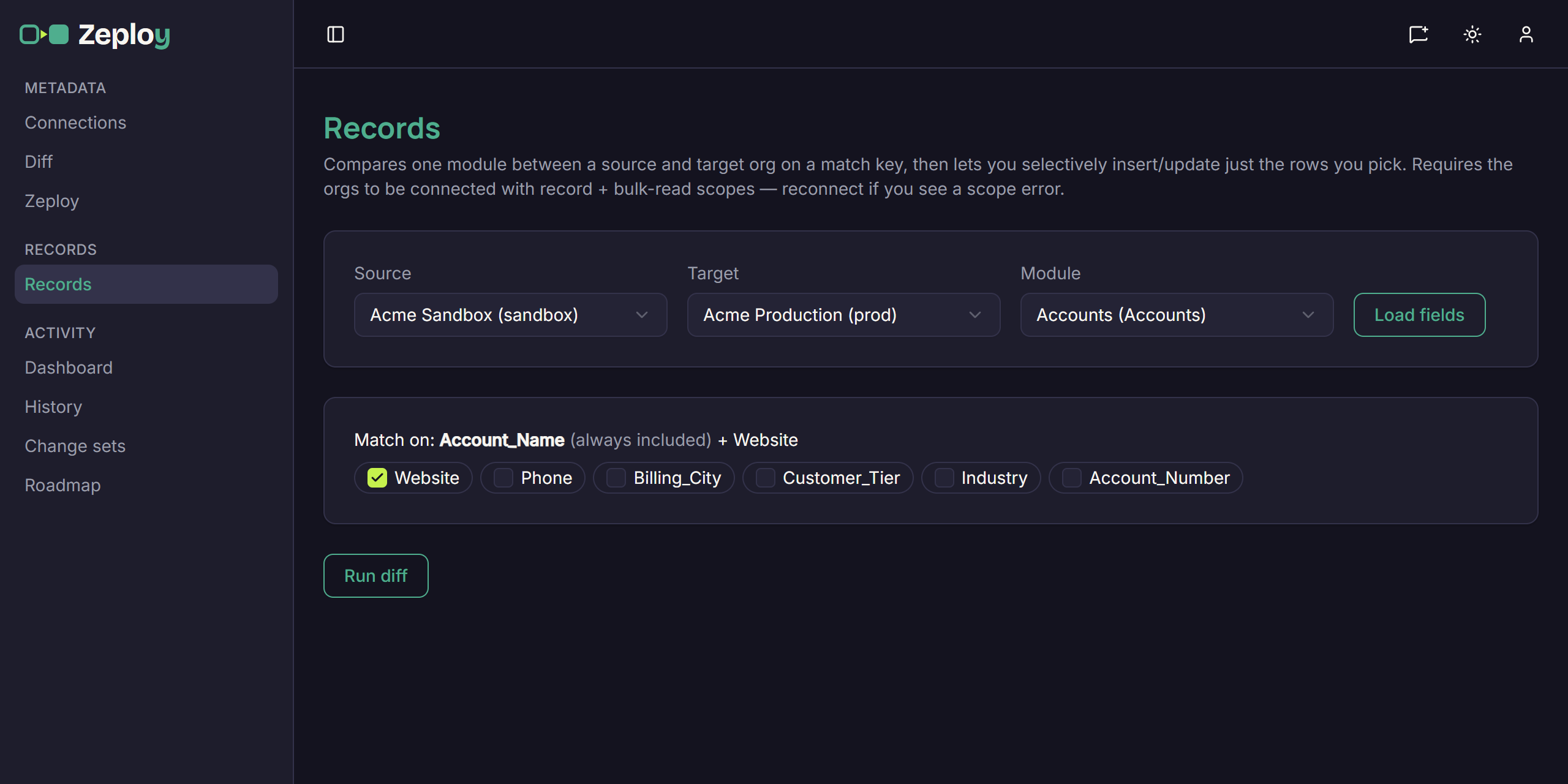
The Records setup with source, target, module and match fields chosen Click Run diff. Zeploy compares the two orgs in the background. A status pill shows Pending and then Running while it works. If it fails, the reason appears next to the status.
Read the results. When the diff finishes, the setup folds into one line that shows source → target, the module and the match fields. Use Edit setup to change it and run again. Under the line, a summary counts the rows in each group, and the rows sit in groups below:
- Insert (New records): the row isn't in the target. Zeploy would create it.
- Upsert (Changed records): the row exists in the target with different values. Zeploy would update it. Click view changes on a row to see each field's before and after values.
- Needs attention (Ambiguous match key): more than one record matches the key, so Zeploy can't tell which to update. These rows can't be selected. Fix the duplicates in the target org, then run the diff again.
- Identical: the row already matches. These are counted in the summary but hidden.
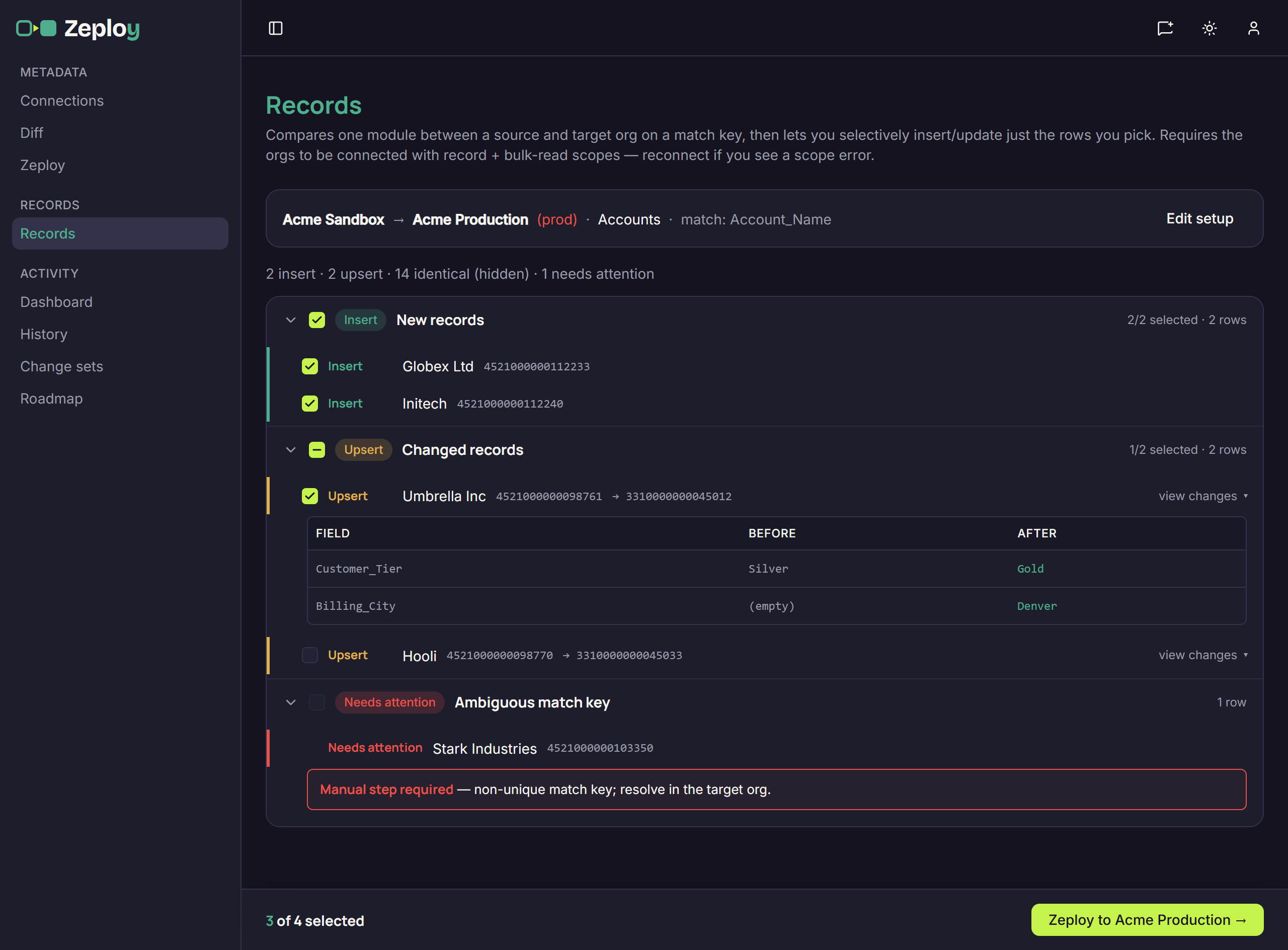
Diff results grouped into Insert, Upsert and Needs attention
Tick the rows you want. Use the checkbox on a row, or the one in a group header to take the whole group. The bar at the bottom shows how many rows are selected.
Continue from the bottom bar. If you can write to the target, the button reads "Zeploy to target →". If you can't, it reads "Send for Zeployment →". Either one takes you to the review step. See Apply records.
Good to know
- Like a metadata diff, the source and target must be in the same organization. Zeploy never moves records between two clients' orgs. The Target list only shows connections in the source's organization.
- The more match fields you add, the stricter the match. A row whose match fields differ between orgs shows up as a new Insert rather than an update.
- Your selection is remembered in this browser, so you can leave the page and come back to the same results.
- Comparing moves data only. Fields and modules have to exist in the target first. Use the metadata flow for those.
- Who can write to the target depends on your role. See Team and permissions.